Art style consistency for games
A game looks like one game when every asset follows the same decisions. This guide gives a method that works with any tools, and shows where Nexora fits in it.
Contents
Why styles drift
Style drifts when each asset is made on its own: another day, another prompt, another tool. Every piece can be good and the set still looks like it came from several games.
The fix is not more polish at the end. It is taking the decisions once, writing them down and making every new asset start from them.
Start with references
Collect a small set of images that show the look you want: shapes, colours, materials and level of detail. A handful is enough; more only adds noise.
Mix the kinds of reference on purpose: some for the silhouette, some for the palette, some for the surface. Write one line per image saying why it is there. If you cannot say why, remove it.
In Nexora you describe your game to the Director, look at a round of concept images and keep the ones that fit. Those images become the references the project style is created from.
Fix the anchors
Anchors are the decisions that must not change: a short palette, the proportions of characters, how much detail a surface carries, how edges are treated. Write them as a short sheet, one field per anchor and one sentence each.
Anchors are also what you check against. When a new asset looks wrong, find the anchor it breaks. Argue about the anchor, not about taste.
In Nexora this is the style sheet of the project. It sits beside the reference images, and an art bible you can read as plain text travels with the kit.
One style for the whole project
Pick one style per project and keep it. A second style is a second project, or an exception you choose and name. Mixing styles inside one project is the usual cause of drift.
Define the style once and apply it to everything made afterwards. In Nexora, creating the project style costs nothing, and every asset made in the project is generated in it.
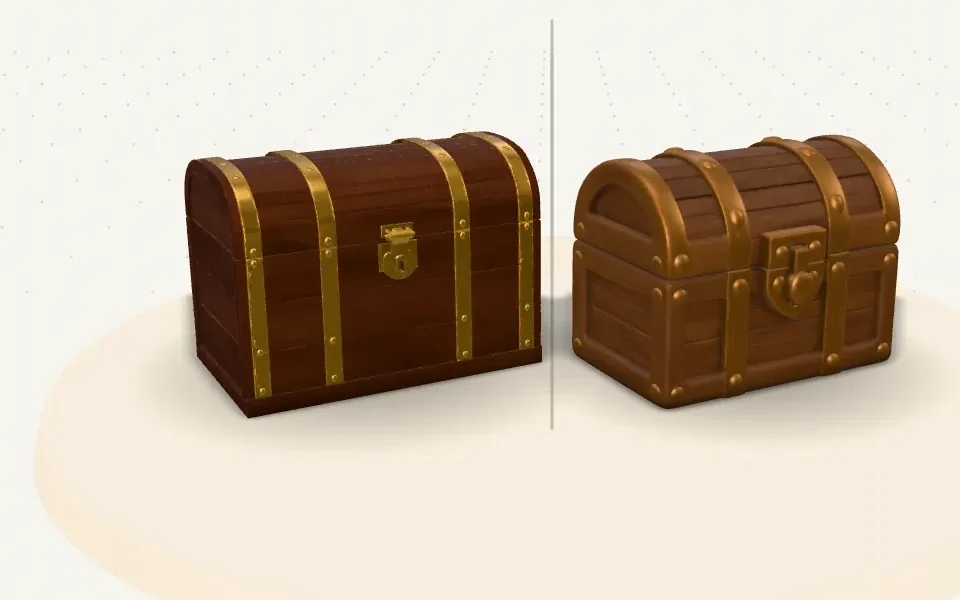
Look at the pair above: it is the same kind of object, and the style changes the colour, the thickness of the bands and how simple the lock is.
Make a set, not a pile
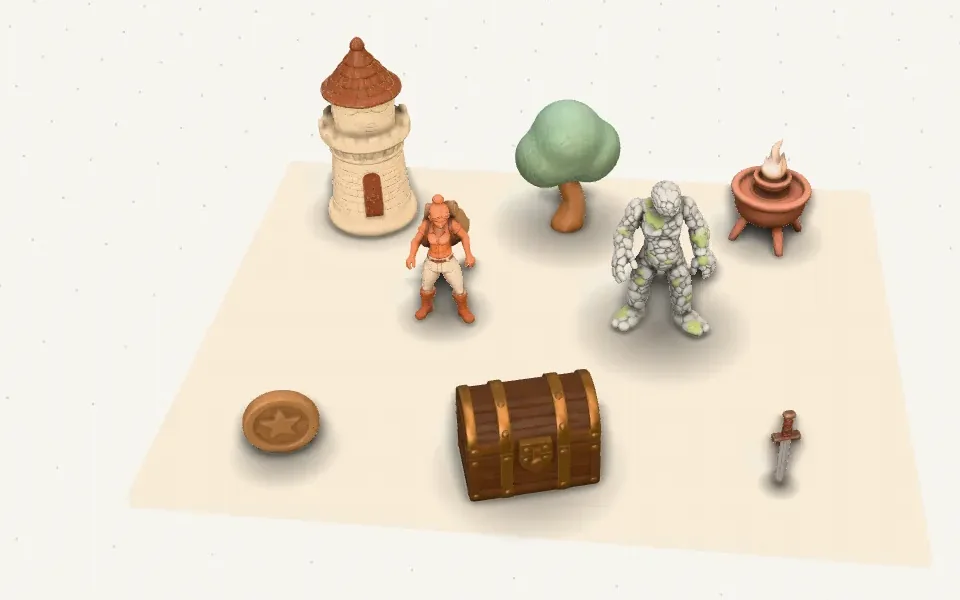
A set made together shows drift at once. Plan the pieces of a scene as one batch, make them in the same style and look at them side by side before you build the level.
In Nexora you can ask the Director for a whole kit. It shows the plan and the price, and makes the pieces only after you approve it.
A checklist for every new asset
- Does it keep the palette of the style sheet?
- Does it keep the proportions and the level of detail of the pieces around it?
- Was it made in the project style, not in a one-off style?
- Does it sit next to the rest of the set without standing out?
- Did you change an anchor on purpose? Then update the sheet before you make more.
Run the list on every new asset and again each time the style sheet changes. A set that passes it reads as one game.